Product · New
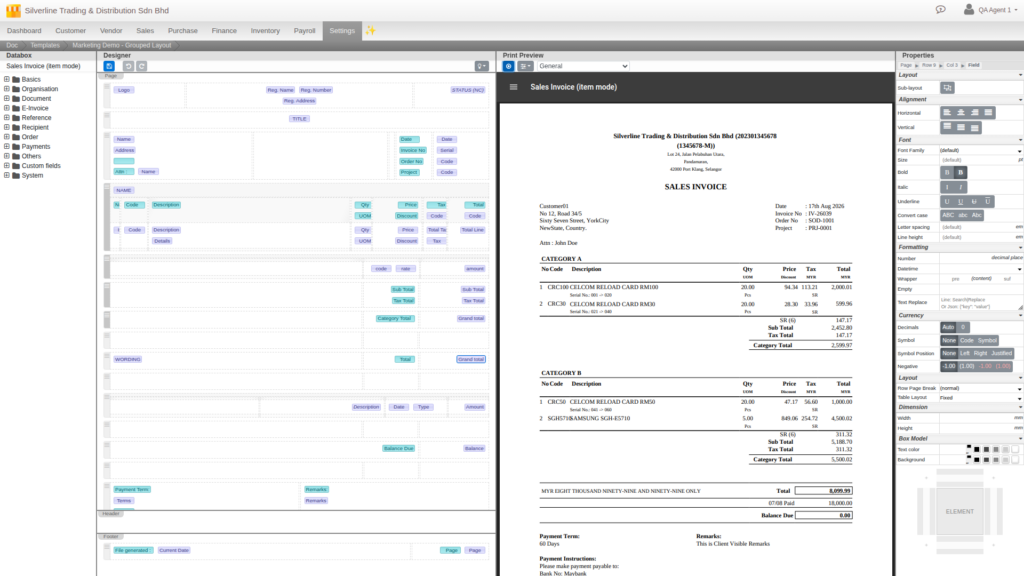
Most business software gives you a document template: swap the logo, pick a colour, done. Cloudby gives you a full visual designer instead. Drag any field onto the page, style every element down to the last decimal, and watch the real PDF render live as you build. If you can picture the layout, you can build it, no developer, no ticket, no waiting on a vendor.
A real design tool, not a settings screen
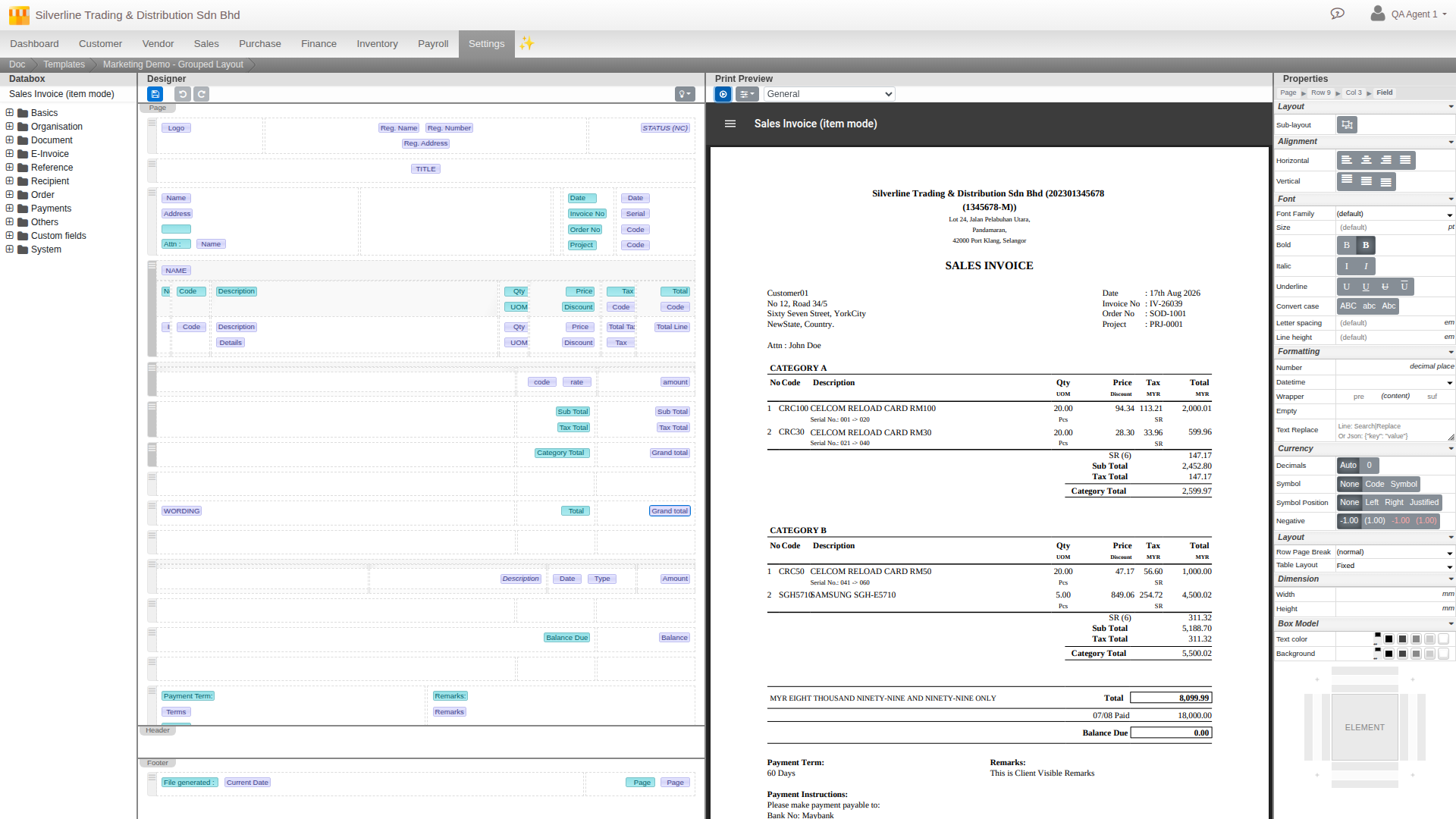
Open the Document Template Editor and you get four working panes at once: a Data sidebar listing every field on the document, ready to drag onto the page; a Designer canvas where you actually build the layout; a live Preview that renders the real PDF as you work, not a mockup; and a Properties panel that styles whatever you have selected. This is the same class of tool as a professional design app, built directly into Cloudby, with no separate software to license or learn.
Style every element, down to the last decimal
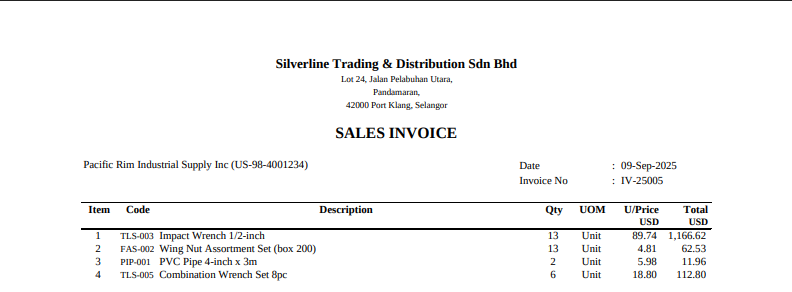
Select any field and the Properties panel hands you real control: decimal places, date formats, prefixes and suffixes, text replacement, fallback values, uppercase and other transforms. Amount fields get their own currency section, decimal places, symbol, number format, and how negatives display, on top of the document rendering in its own currency automatically, so a foreign customer’s invoice reads natively in the currency it was raised in, not converted after the fact. Fonts, colours, borders, spacing and alignment are open on every element you place. This is the level of control usually reserved for a custom-built system, available on a form you fill in yourself.
Build the exact structure your paperwork needs
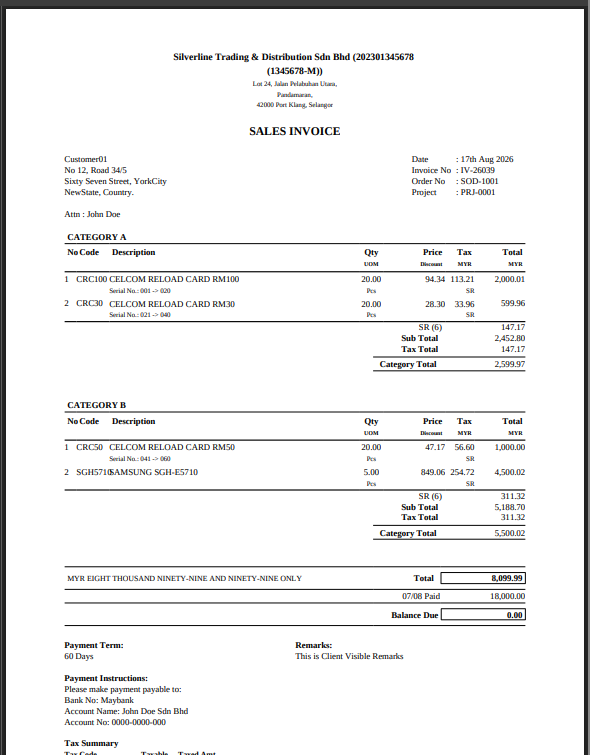
Real documents are not one flat list. The canvas supports real nested layout: a table inside a table, side by side or stacked, boxed sub-sections built the way you would lay out a real printed form. Group your line items by category with a subtotal per group, split a packing list by shipment, whatever structure your paperwork actually needs, you build it, you do not work around a fixed template that does not fit.
Full control over the page itself
Paper size, orientation, margins, a repeating header and footer, automatic page numbering, page breaks you force or avoid exactly where you want them. Keep several templates per document type, a full invoice and a simplified one, and set whichever you like as the default. Place your logo, and on documents that use MyInvois, the e-Invoice QR code, exactly where you want it on the page.
Preview before you deploy
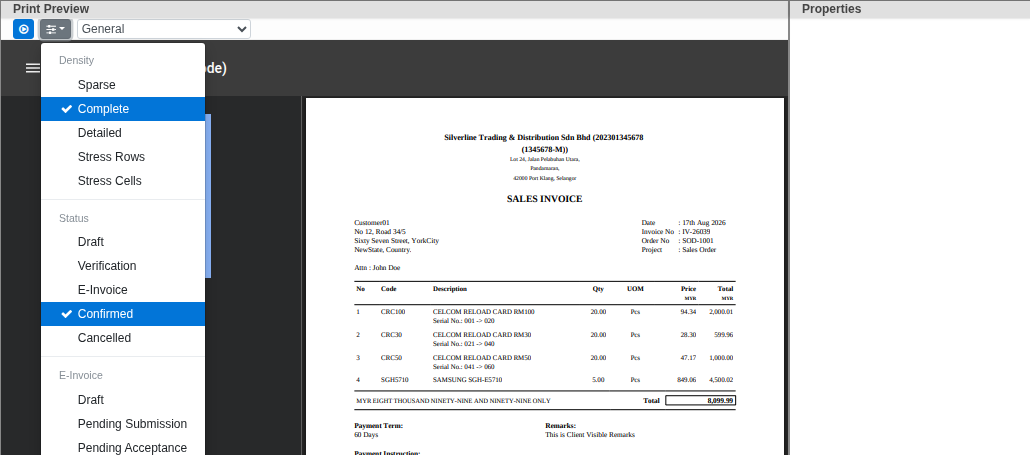
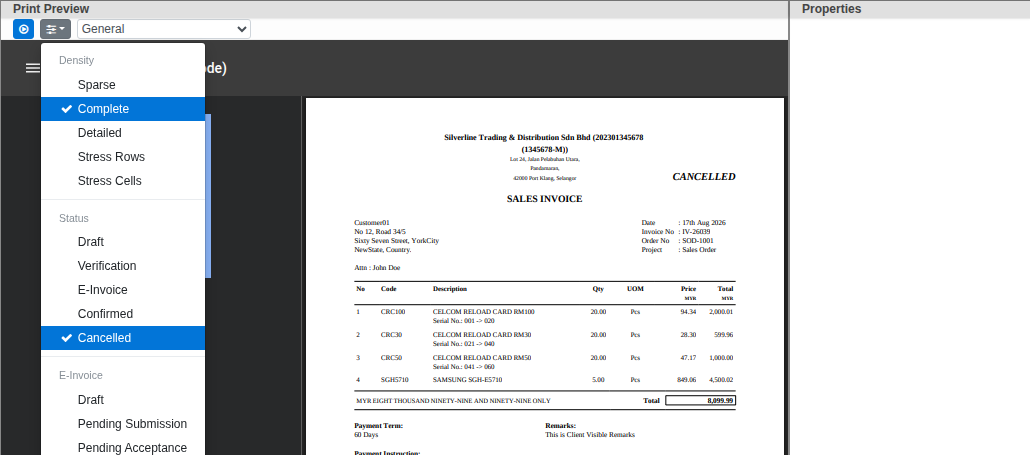
Every template can be tested against realistic sample data before a single real document uses it: different densities, document statuses, e-Invoice states, even an industry-flavoured dataset that matches how your business actually trades. Switch the status and the preview updates live, right down to a document stamped Cancelled looking exactly like it will for real.
Available now
The full Document Template Editor, multi-currency rendering, nested layouts, and sample-data preview are live today for every Cloudby workspace. Build the document your business actually needs, not the one a fixed template allows.
Learn more
For the full walkthrough, see the how-to guide: Document templates, or the reference: Templates.