Product · New
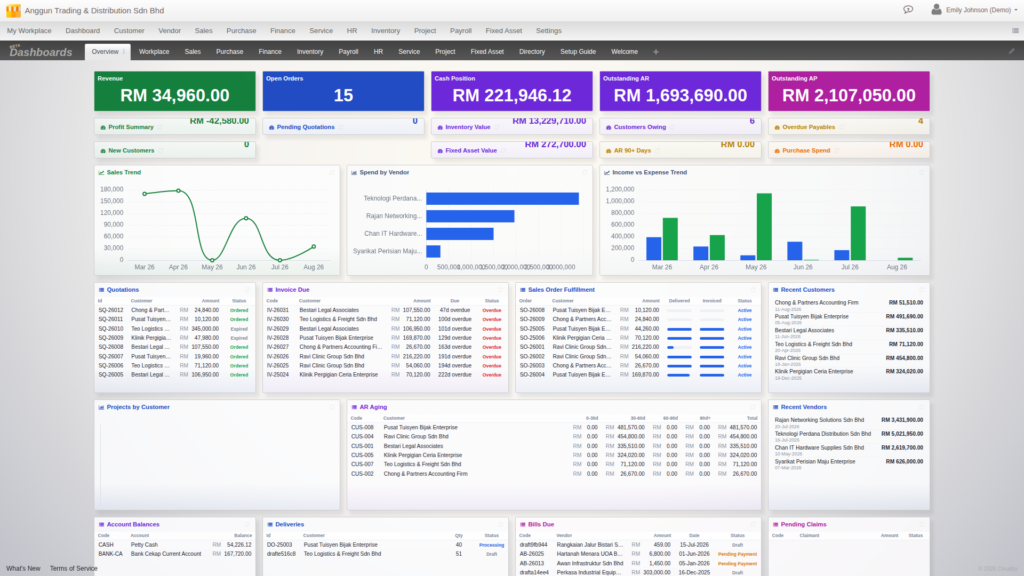
A standalone invoicing app can only ever put invoices on its dashboard. A standalone helpdesk can only show you tickets. Cloudby’s new home screen puts your revenue, your AR aging, your bills due and your fixed asset value on one screen, at once, because they were always the same data underneath. That’s not an integration. It’s just what happens when one system grows up.
Your business, on one screen
Every module you run in Cloudby, Sales, Purchase, Finance, Service, Payroll, Fixed Assets, Inventory, HR, Production, Retail, Project, feeds the same dashboard system, and nearly 100 widgets are available across every one of them. The Overview sheet pictured at the top of this post has Revenue and Cash Position sitting next to an AR Aging table, Bills Due, and a Fixed Asset value, a spread across Sales, Finance, Purchase and Fixed Assets, all reading the same underlying documents. No export, no sync, no separate report to run.
Shape it exactly how you want it
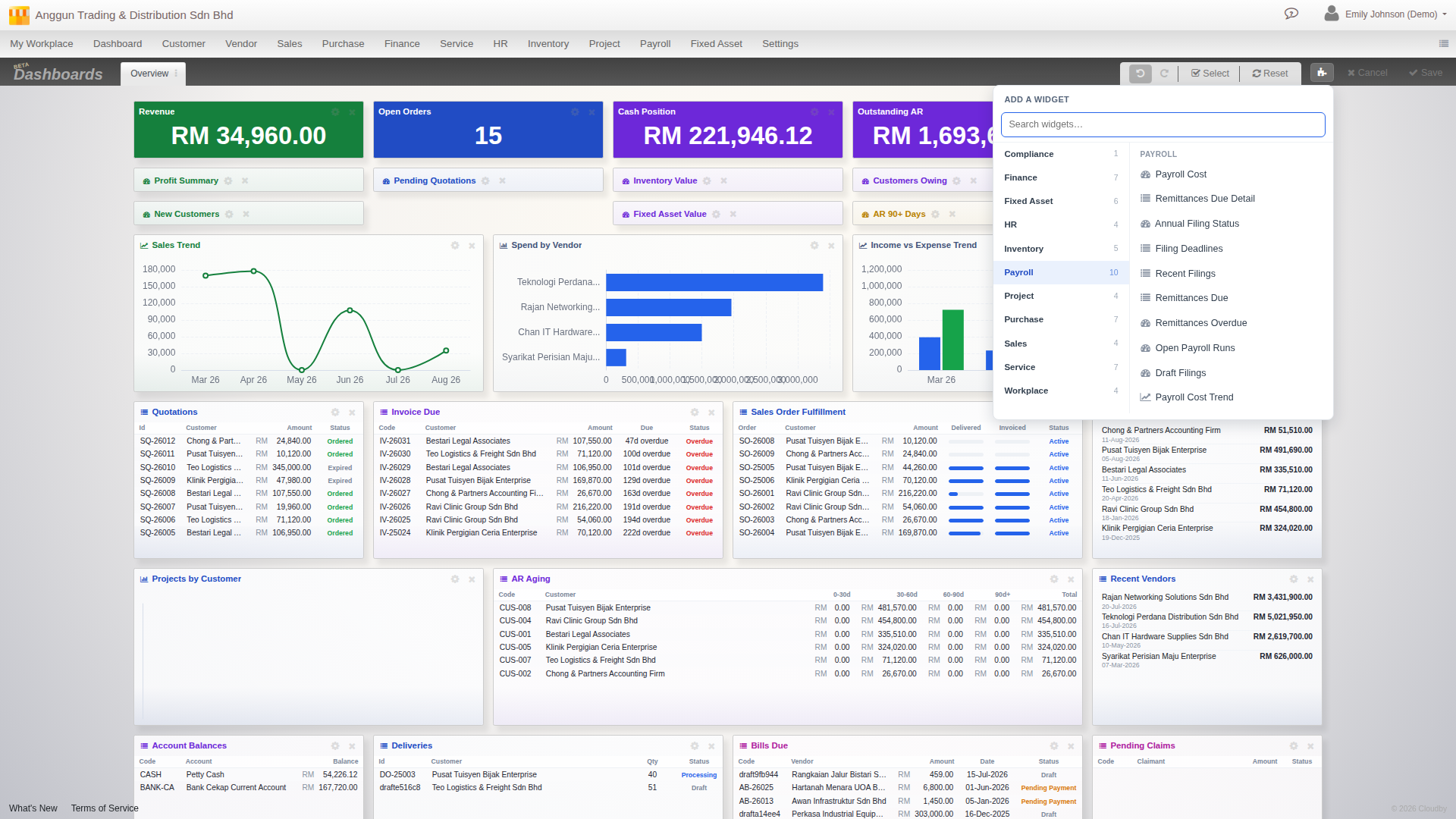
Every widget can be resized to whatever shape fits, a wide chart, a compact tile, a tall list, then dragged wherever you want it. Nothing about the layout is fixed. It’s personal to you: your arrangement is yours, a colleague signs in to their own, and it’s fully responsive, reflowing cleanly whether you’re on a wide desktop monitor, a tablet, or a phone. Add a new module later and its widgets simply join the catalogue, ready to drop onto the screen you already use.
Different screens for different jobs
The dashboard isn’t one fixed layout. It’s a set of sheets: one system template per module you have enabled, ready out of the box, so Payroll gets its own sheet, Service gets its own sheet, HR gets its own sheet, on top of as many personal sheets as you want to build yourself. Duplicate a template, rename it, build a sheet just for month-end, another just for your own daily check-in. Edit a shared template and it quietly forks into your own copy, so you never break what a colleague is relying on.

A navigation bar that scales with you
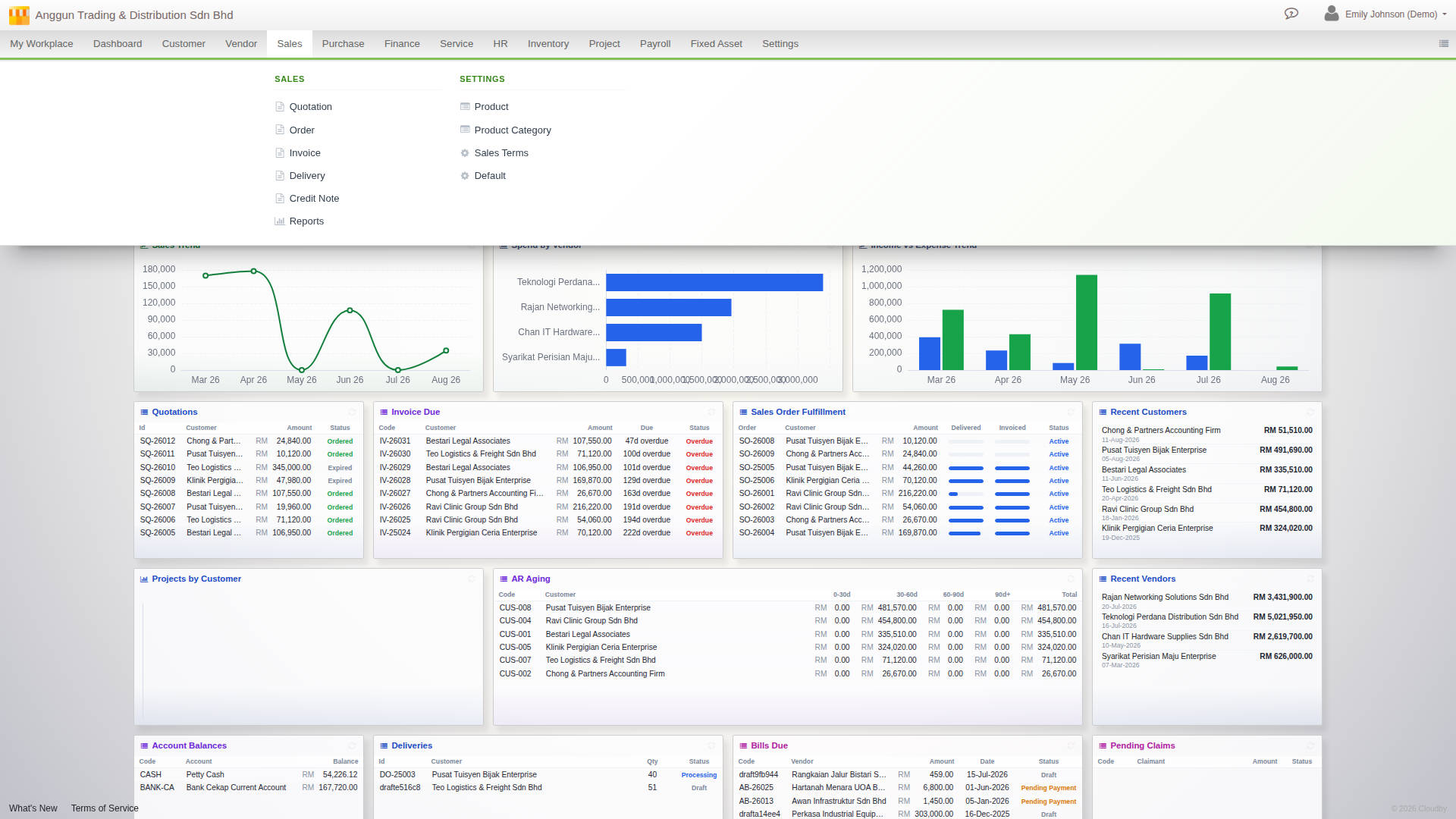
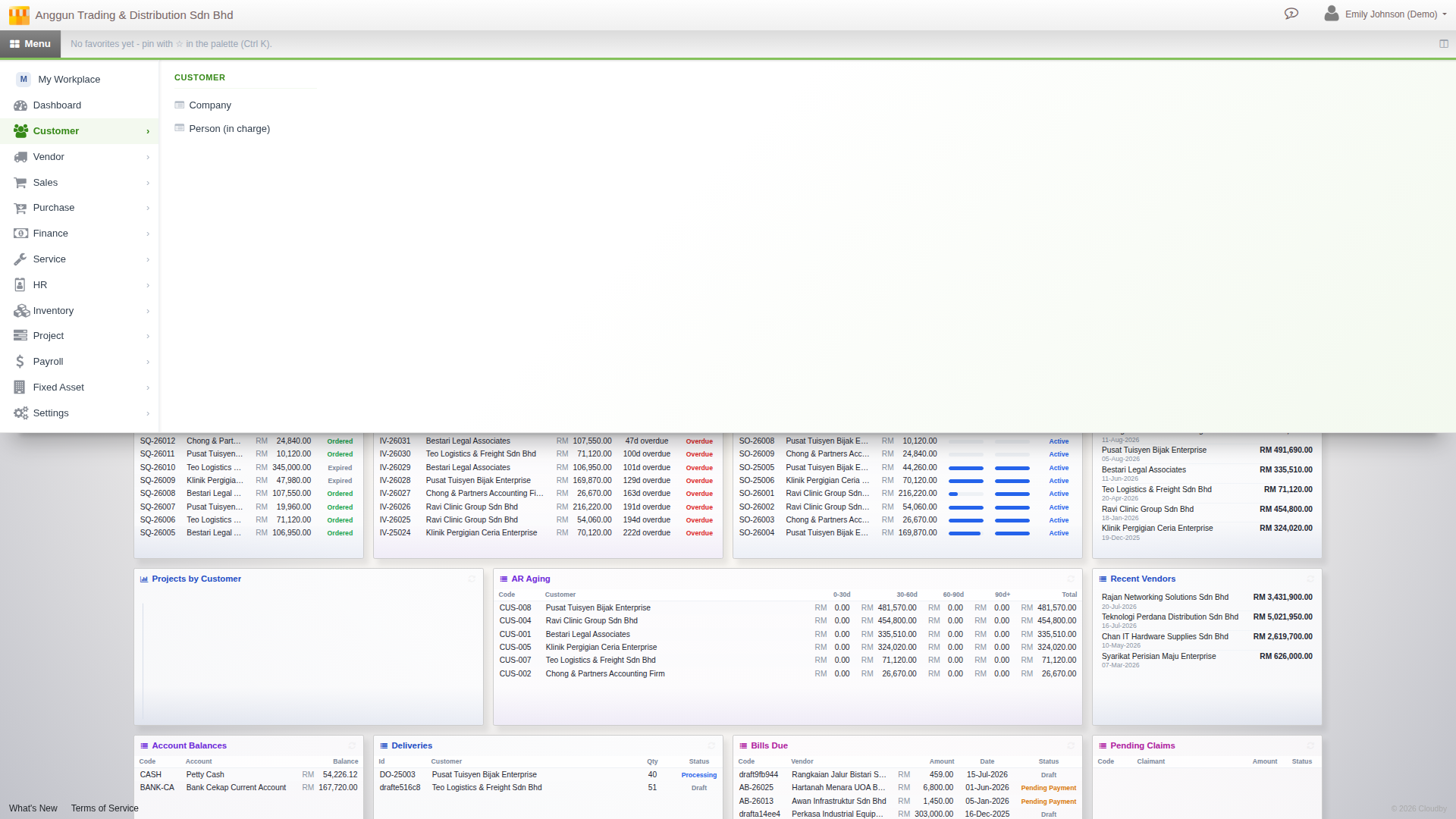
The top navigation is now a click-to-open panel instead of a hover menu, and it comes in three densities: Expanded for full labels, Icons for a compact bar, or a Start-style launcher with a module rail when you want the most screen back. Pin the pages you use daily and they travel with you across every density mode.
Find anything without leaving the keyboard
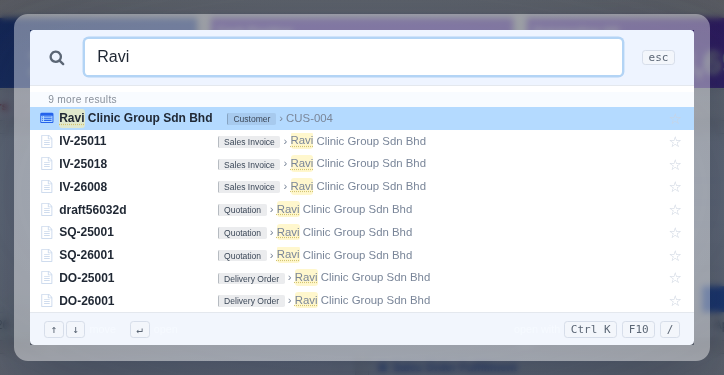
Press Ctrl+K (or F10) from anywhere in Cloudby and search across menu pages, settings and live records, all in one box. Type just part of a customer’s name and get more than a menu link back: the customer record itself, plus every invoice, quotation and delivery tied to them, ranked together. No more clicking three levels deep to find the screen you need, and no more opening five different lists to find the record you’re thinking of.
Available now
The new dashboard, navigation and Jump Search are live today for every Cloudby workspace. Nothing to install and nothing to configure: sign in and your home screen is already there, built from the modules you already use.
Learn more
For the full walkthrough, see the how-to guides: Your dashboard, Navigation, and Jump Search.